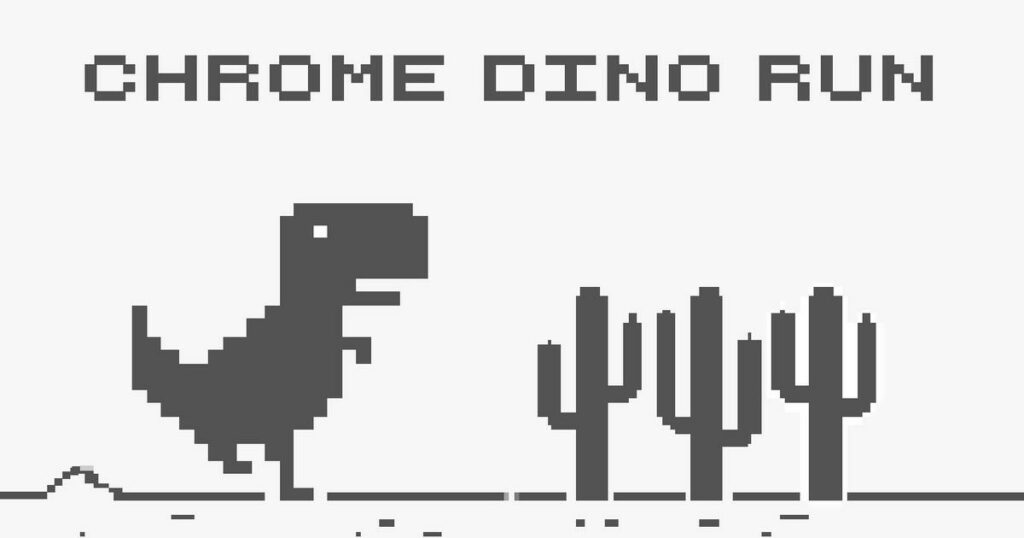
What is Chrome Dino?
Chrome Dino is a side-scrolling arcade runner originally created by Google Chrome. Players take control of a lone dinosaur sprinting across a stark desert landscape, dodging ground hazards and incoming aerial threats. The challenge centers on fast reaction times and precise inputs as the pace steadily accelerates over distance. You can launch and play the complete game directly in your desktop or mobile browser without downloading extra software.
Key features
- Endless running mechanics: Sprint continuously across an expanding desert course where survival distance dictates your final score.
- Retro visual style: Clean 2D 8-bit pixel artwork delivers clear visibility for incoming obstacles.
- Dynamic acceleration: Travel speed increases progressively during a run, demanding faster reflexes the longer you stay alive.
- Varied hazard types: React to static desert cacti on the ground and flying birds hovering at distinct elevations.
- Minimalist control scheme: Simple inputs allow you to leap over ground barriers or crouch beneath high hazards with ease.
How to play
- Press the spacebar or up arrow key on your keyboard to begin sprinting across the desert track.
- Watch the right edge of the screen to identify oncoming cacti clusters and airborne birds early.
- Tap the jump input to clear prickly cactus patches standing directly in your path.
- Use the down arrow key to crouch under birds cruising along higher flight paths.
- Adjust your jump timing as the dinosaur accelerates to avoid colliding with closely grouped obstacles.
- Survive as long as possible in a single attempt, restarting immediately whenever a collision occurs.
Controls
| Action | Keyboard |
|---|---|
| Jump / Start run | Spacebar or Up Arrow |
| Duck / Crouch | Down Arrow |
Obstacle types and speed scaling
Survival in Chrome Dino hinges on recognizing threats and timing each evasion correctly. Cacti appear firmly rooted to the ground, requiring timely jumps to clear their spines safely. Pterodactyls and other birds approach at varying altitudes across the screen. While lower-flying birds must be leaped over, high-flying birds can be bypassed safely by remaining upright or crouching underneath them. As your run progresses, the movement speed accelerates substantially, narrowing the window available to decide whether a jump or duck is appropriate.
Tips and strategy
- Focus on the horizon: Keep your eyes fixed near the right side of the screen rather than looking directly at the dinosaur so you have more time to react.
- Do not jump over high birds: Birds gliding near the top of the display pass harmlessly above you, so stay grounded to avoid jumping into danger.
- Anticipate higher velocity: Because the sprint speeds up over time, initiate your jumps earlier during late-stage runs to clear wide cactus formations cleanly.
- Use ducking to recover fast: Tapping the crouch command brings the dinosaur back toward the ground quickly after a jump, helping you prepare for rapid follow-up obstacles.
Similar games
If you enjoy fast-paced reflex challenges and runner games, check out these titles:
- Cubefield: Dodge endless fields of colored obstacles as your speeding craft navigates a shifting three-dimensional grid.
- Rhino Rush Stampede: Charge through colorful side-scrolling stages collecting fruit and smashing through barriers.
- The Impossible Game: Test your timing and rhythm by guiding a square block over perilous spikes and treacherous pits.
Developer and history
Chrome Dino was created by Google Chrome in 2014, with original development by Sebastien Gabriel alongside Alan Bettes and Edward Jung. Introduced as an interactive easter egg on the browser offline error screen, the project gained massive worldwide popularity and was played hundreds of millions of times each month by 2018. It remains one of the most widely recognized pixel runners in web history, celebrated under alternative names such as T-Rex Runner and Dino Run.