What is Sprunki?
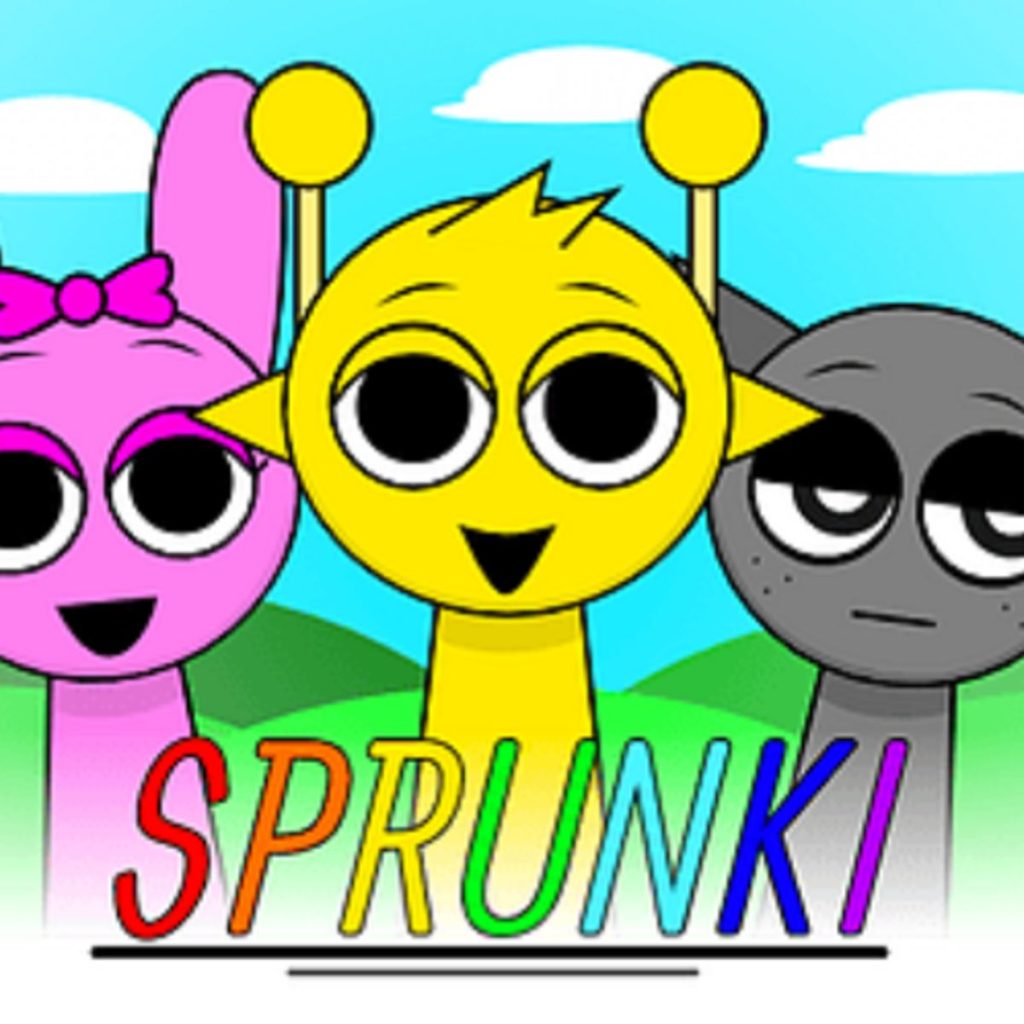
Sprunki is an interactive music simulation game where you compose looping tracks by placing musical characters into empty stage slots. Created by NyankoBfLol, the game lets you build original songs by mixing beats, atmospheric effects, melodic riffs, and vocal harmonies. Every character you drop into the mix immediately contributes a distinct layer to the song, allowing you to hear how individual parts harmonize or clash in real time. Sprunki runs directly in your web browser with no download or setup required, offering a creative musical sandbox with a surprise twist waiting to be discovered.
Key features
- Character-based sound mixing: Position 20 unique animated figures to assemble custom rhythm, melody, effect, and vocal arrangements.
- Instant sound feedback: Every character immediately activates their instrument or voice layer upon joining the stage.
- Real-time audio controls: Hover over any active performer to mute their audio, isolate their track with focus, or remove them entirely.
- Stage reset: Clear every active character from the board in one step using the top right restart button.
- Creator gallery: Browse original concept artwork from the developer highlighting the visual creation of the characters.
- Secret Horror Mode: Drag the mysterious Black Hat onto an avatar to transform the entire soundtrack into an eerie, heavy soundscape.
How to play
- Start a new session in your web browser to display the row of empty character avatars on the main stage.
- Review the musical icons displayed along the bottom tray of the game interface.
- Select an icon and drag it onto one of the gray avatars to assign that character a musical role.
- Layer additional beats, melodies, background textures, and vocals to build out your musical loop.
- Hover over individual characters to mute their audio layer, solo them using the focus option, or click the remove icon to take them off the stage.
- Drop the Black Hat icon onto a character slot if you wish to alter the atmosphere and explore Horror Mode.
- Click the restart button in the top right corner whenever you want to wipe the board and start fresh.
Controls
| Action | Input |
|---|---|
| Assign character sound | Drag musical icon from the bottom tray onto an avatar |
| Mute performer | Hover over a singing character and select mute |
| Solo performer | Hover over a singing character and select focus |
| Remove performer | Hover over a singing character and select the remove icon |
| Reset stage | Click the restart button in the upper right corner |
| Open art gallery | Click the gallery button on the interface |
Sound types and character roles
Sprunki organizes its 20 characters across 4 primary sound types. Balancing these elements keeps your track coherent without overwhelming the mix.
| Sound type | Featured characters | Audio role |
|---|---|---|
| Beats | Oren, Raddy, Clukr, Fun Bot, Vineria | Provides repeating drum hits and percussive rhythm to anchor the tempo. |
| Effects | Gray, brud, Garnold, OWAKCX, Sky | Supplies high background textures that fill empty acoustic space. |
| Melodies | Mr. Sun, Durple, Mr. Tree, Simon, Tunner | Introduces musical motifs and melodic hooks layered above the beat. |
| Vocals | Mr. Fun Computer, Wenda, Pinki, Jevin | Adds synthesized singing, robotic lines, and choir-style tones. |
Tips and strategy
Building a cohesive song in Sprunki requires listening closely to how audio layers interact. Use these strategies to refine your arrangements:
- Start with 2 or 3 characters: Beginning with a lean ensemble makes it straightforward to hear whether the core rhythm and melody complement each other before expanding.
- Establish a rhythmic anchor early: Dropping a beat character like Oren, Clukr, or Raddy onto the stage gives your track an immediate pulse that guides melody choices.
- Avoid overcrowding the track: Tracks frequently begin to feel cluttered once you stack 4 or 5 characters simultaneously, so remove or mute overlapping parts when necessary.
- Pair complementary vocalists: Voices like Pinki and Jevin occupy distinct frequencies, allowing them to sing alongside one another without masking either part.
- Use focus to audit individual parts: Hovering over a character and engaging focus temporarily pauses everyone else, making it simple to evaluate how cleanly that layer loops.
- Test small changes before restarting: Replacing a single character in a 4-part arrangement often shifts the entire emotional tone of your track without needing a full reset.
Game modes
Standard Mode
Standard Mode provides the primary sandbox experience. Players experiment freely with cheerful cartoon performers, combining upbeat rhythms, quirky sound effects, and melodic sequences into bright music loops.
Horror Mode
Horror Mode is activated when you place the Black Hat onto the stage. The visual aesthetic darkens immediately, and every character shifts into an unsettling variant with heavier, distorted sound layers that transform your song into a tense audio experience.
Similar games
- Idle Success — A simulation game where you manage personal development, exercise routines, and career progression through strategic upgrades.
- Kiwi Clicker — A progression clicker game centered on harvesting and packaging fruit through expanding automated assembly lines.
- Doctor Hero — A medical simulation skill game where you diagnose patients and carry out precise clinical treatments.
Developer and history
Sprunki was created by NyankoBfLol as a fan-crafted musical creation game inspired by Incredibox. The project first gained viral traction across community platforms and video-sharing networks in 2023, attracting players who enjoyed its distinct cast of characters and hidden transformations. The browser edition launched in 2026, delivering the full interactive mixing experience and Horror Mode secret directly to web players.